 SyncroLog (Android)
SyncroLog (Android)
Current Version: 1.1.0
82
Unique Views
12
Free Downloads
0
Donation Downloads
SyncroLog
A time-logging app for Android designed to aid synchronicity research. SyncroLog records the exact date and time whenever a user notices the clock on their phone, building a dataset to analyze whether certain times appear with statistically unusual frequency. By Jason Page — Amfile.orgPurpose
Many people report seeing specific times repeatedly (11:11, 12:34, 22:22, etc.). SyncroLog provides a simple, structured way to collect this data for analysis. Each time you glance at your phone and notice the time, open the app and tap a single button to log it. Over time, the app reveals patterns in which times you observe most frequently.Features
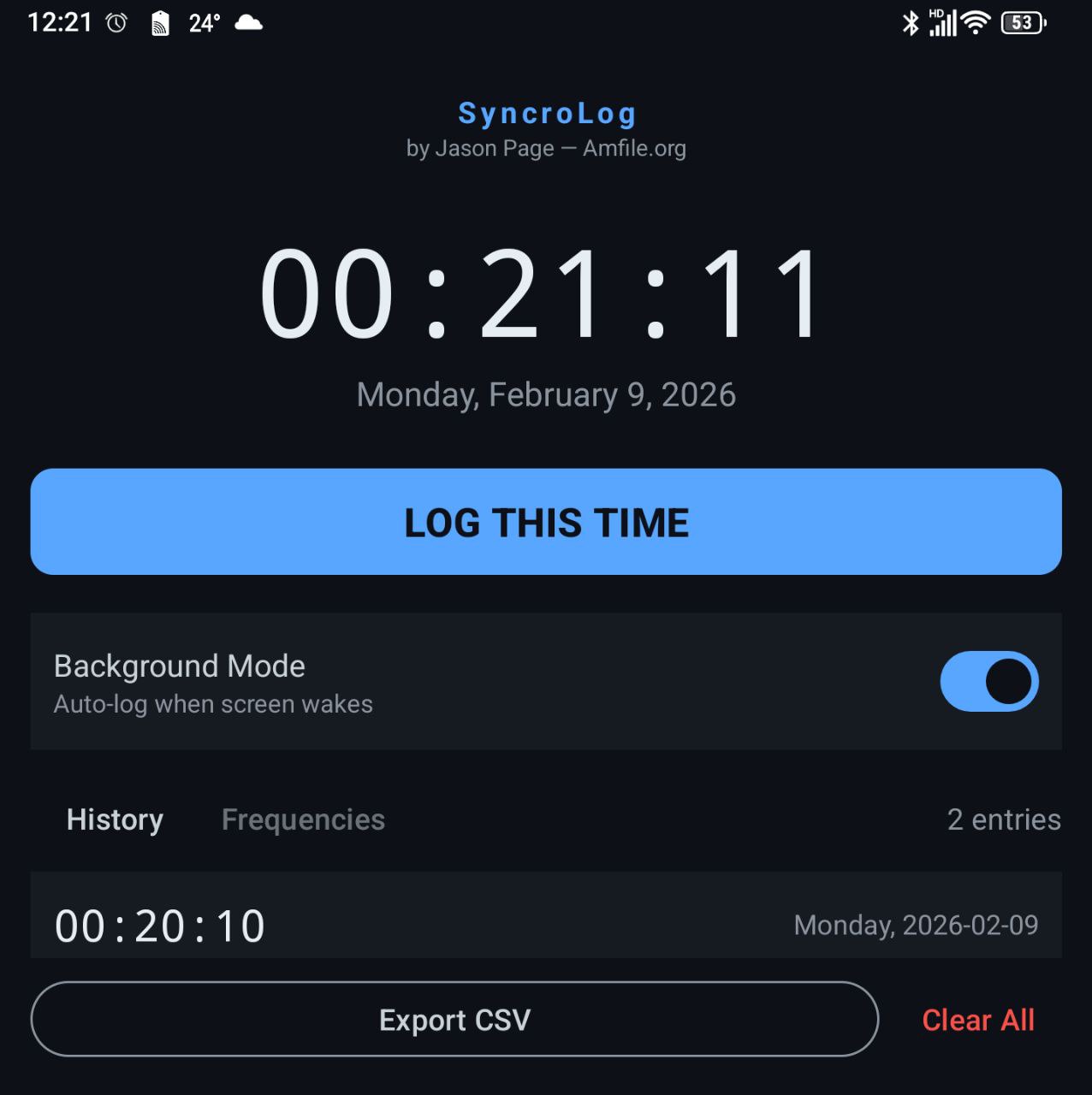
- One-tap logging — Large "LOG THIS TIME" button records the current time instantly
- Live clock — Prominent monospace time display updates every second
- History view — Scrollable list of all logged entries with date and day of week
- Frequency analysis — Ranked view showing which HH:MM times you see most often
- Pattern detection — Automatically tags notable times: - Repeating — 11:11, 22:22, 00:00 - Mirror — 12:21, 10:01, 23:32 - Sequential — 12:34, 01:23, 23:45 - Double — 12:12, 10:10, 23:23 - Angel Number — 1:11, 2:22, 3:33, 4:44, 5:55
- Background mode — Persistent service automatically logs whenever the screen wakes (power button, double-tap to wake, lift-to-wake). Toggle on/off from the main screen. Survives reboots.
- 60-second cooldown — Prevents duplicate entries when rapidly toggling the screen
- CSV export — Share or save your log data via Android's share sheet
- Entry management — Long-press to delete individual entries, or clear all data
CSV Output Format
csv
id,date,time,timewithseconds,dayofweek,timestamp_epoch
1,2026-02-08,11:11,11:11:03,Saturday,1738987863000
2,2026-02-08,14:33,14:33:21,Saturday,1738999401000
Requirements
Project Structure
v1/
├── gradlew                            # Gradle wrapper
├── build.gradle.kts                   # Project-level Gradle config
├── settings.gradle.kts                # Project settings
├── install-android-tools.sh           # Android SDK installer (Ubuntu)
└── app/src/main/
    ├── AndroidManifest.xml
    ├── java/com/synchrolog/app/
    │   ├── MainActivity.kt            # Main screen, clock, logging
    │   ├── TimeLogService.kt         # Background foreground service
    │   ├── BootReceiver.kt           # Restarts service after reboot
    │   ├── data/
    │   │   ├── TimeLog.kt             # Room entity
    │   │   ├── TimeLogDao.kt          # Database queries
    │   │   └── AppDatabase.kt         # Room database singleton
    │   ├── ui/
    │   │   ├── LogAdapter.kt          # History list adapter
    │   │   ├── FrequencyAdapter.kt    # Frequency list adapter
    │   │   └── PatternDetector.kt     # Time pattern recognition
    │   └── util/
    │       └── CsvExporter.kt         # CSV file generation
    └── res/
        ├── layout/                    # XML layouts
        ├── values/                    # Colors, strings, themes
        ├── xml/                       # FileProvider paths
        └── drawable/                  # App icon foreground
Tech Stack
License
Copyright Jason Page — Amfile.org. All rights reserved.Download Options
Free Downloads: All downloads including compiled binaries are freely available. Consider supporting development with an optional donation.
Free Downloads
Compiled Binaries (Free Download)
Download compiled versions for your platform. Consider supporting the project with an optional donation.
Android
Changelog
Changelog
All notable changes to SyncroLog will be documented in this file. The format is based on Keep a Changelog.[1.1.0] - 2026-02-08
Added
- Background mode with persistent foreground service
- Automatic time logging on every screen wake (power button, double-tap, lift-to-wake)
- Toggle switch on main screen to enable/disable background mode
- 60-second cooldown between background logs to prevent duplicates
- Persistent notification showing last logged time while service is active
- Auto-restart on device reboot when background mode was enabled
- Android 13+ notification permission handling
- One-tap time logging with instant visual feedback
- Live clock display with second-by-second updates
- History view showing all logged entries in reverse chronological order
- Frequency view ranking observed times by occurrence count
- Pattern detection for synchronicity-relevant times (Repeating, Mirror, Sequential, Double, Angel Number)
- CSV export via Android share sheet with fields: id, date, time, timewithseconds, dayofweek, timestamp_epoch
- Long-press to delete individual log entries
- Clear all data with confirmation dialog
- Room database for persistent on-device storage
- Dark theme UI with monospace time display
- Adaptive launcher icon
- Ubuntu SDK installer script (install-android-tools.sh)